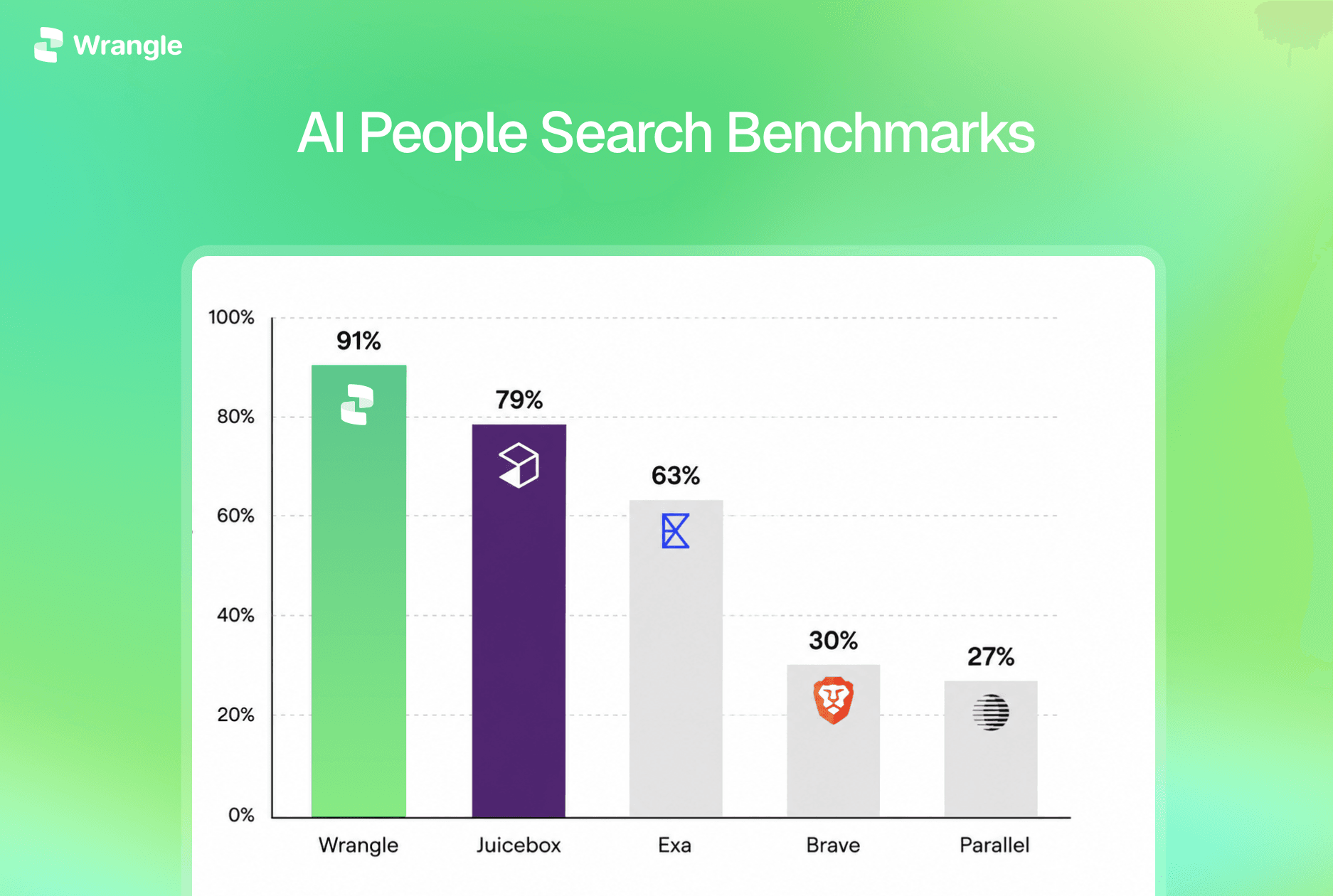










Candidate sourcing
Find the right person before finding the email
Describe your role and review candidates against the criteria that matter. Save the strongest matches to a collection, then look up their work emails together while you keep sourcing.
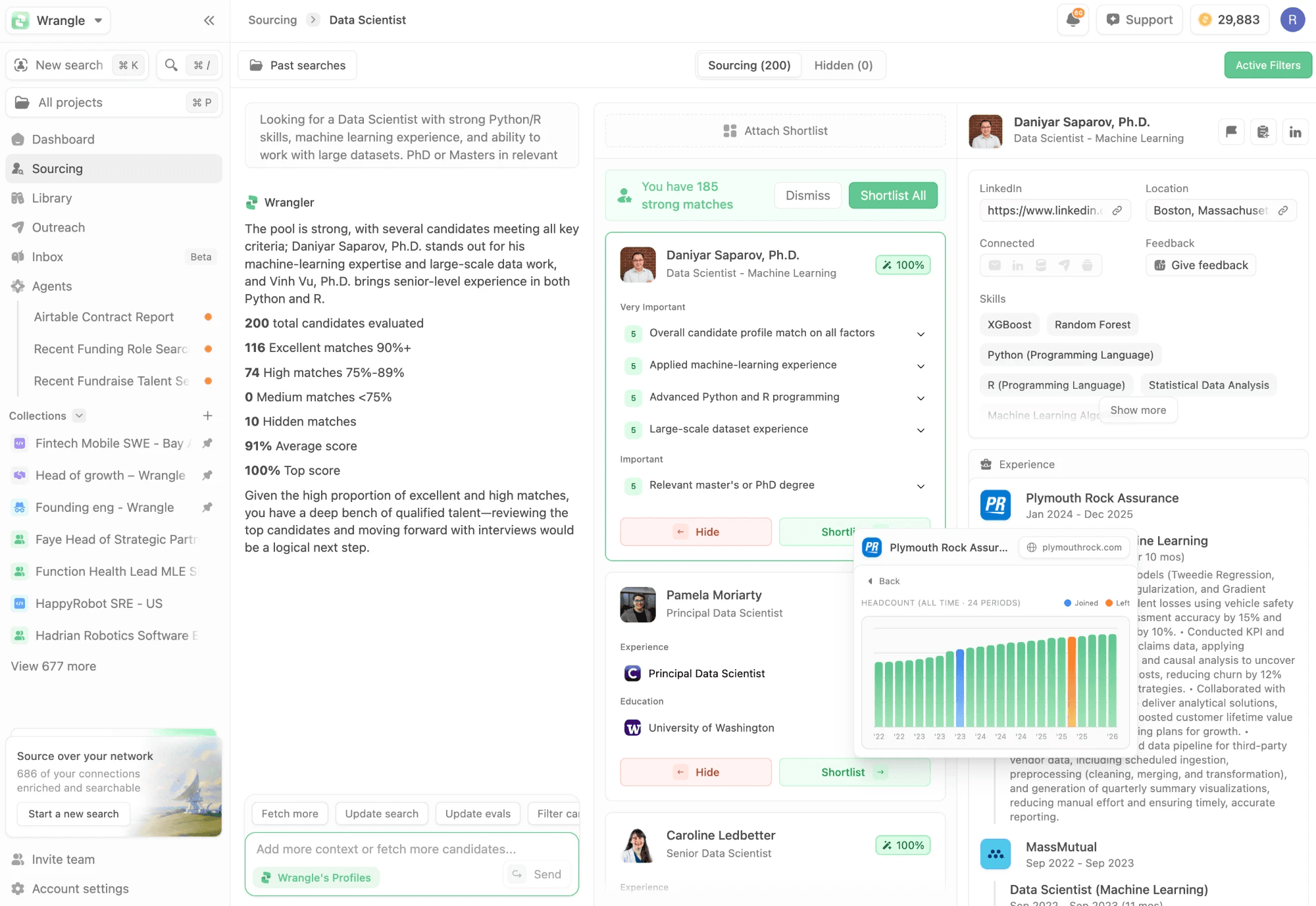
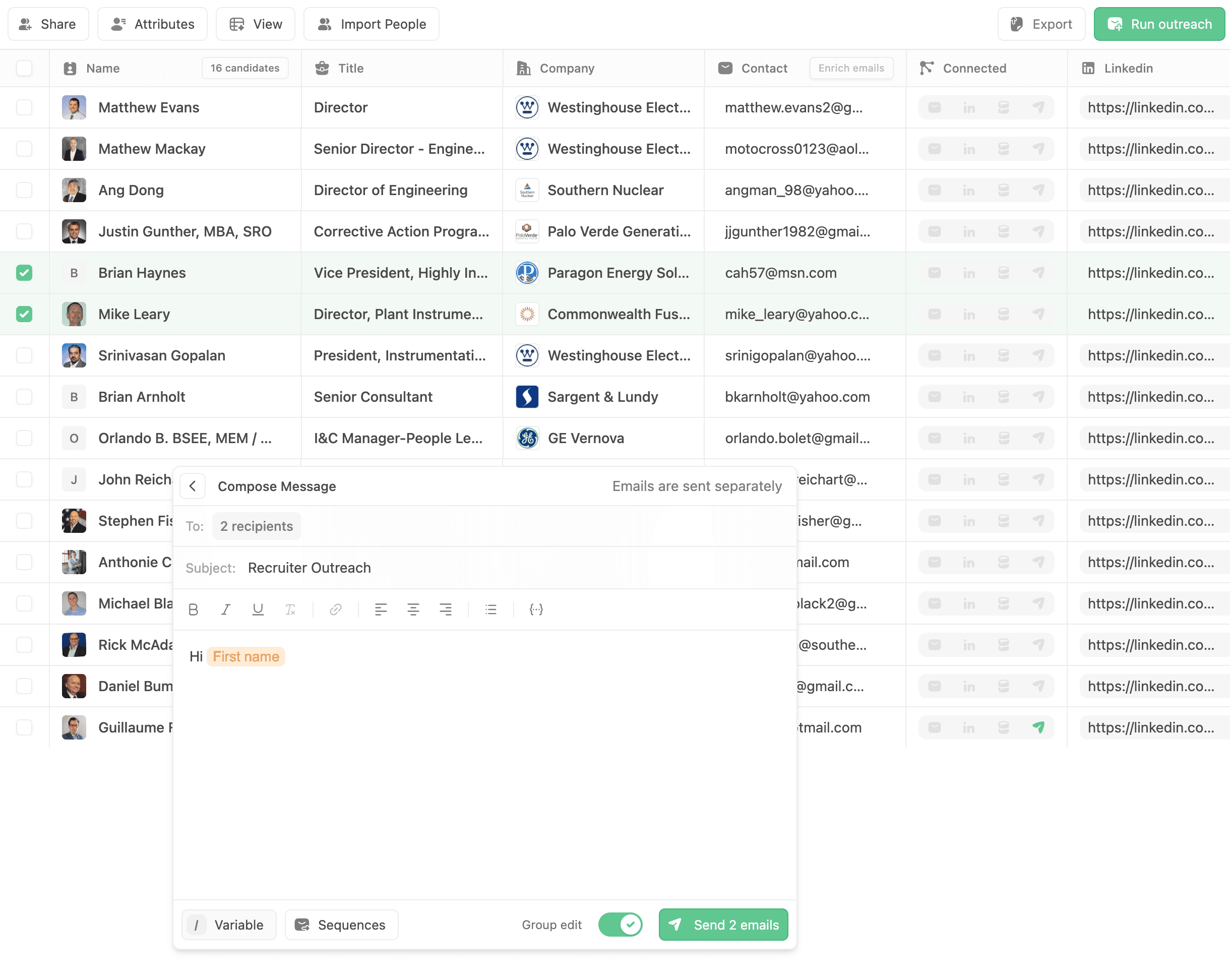
Find candidate email addresses, personalize the outreach, and send from your own mailbox. Keep contact details and replies connected to each candidate. 7-day free trial.
Describe your role and review candidates against the criteria that matter. Save the strongest matches to a collection, then look up their work emails together while you keep sourcing.
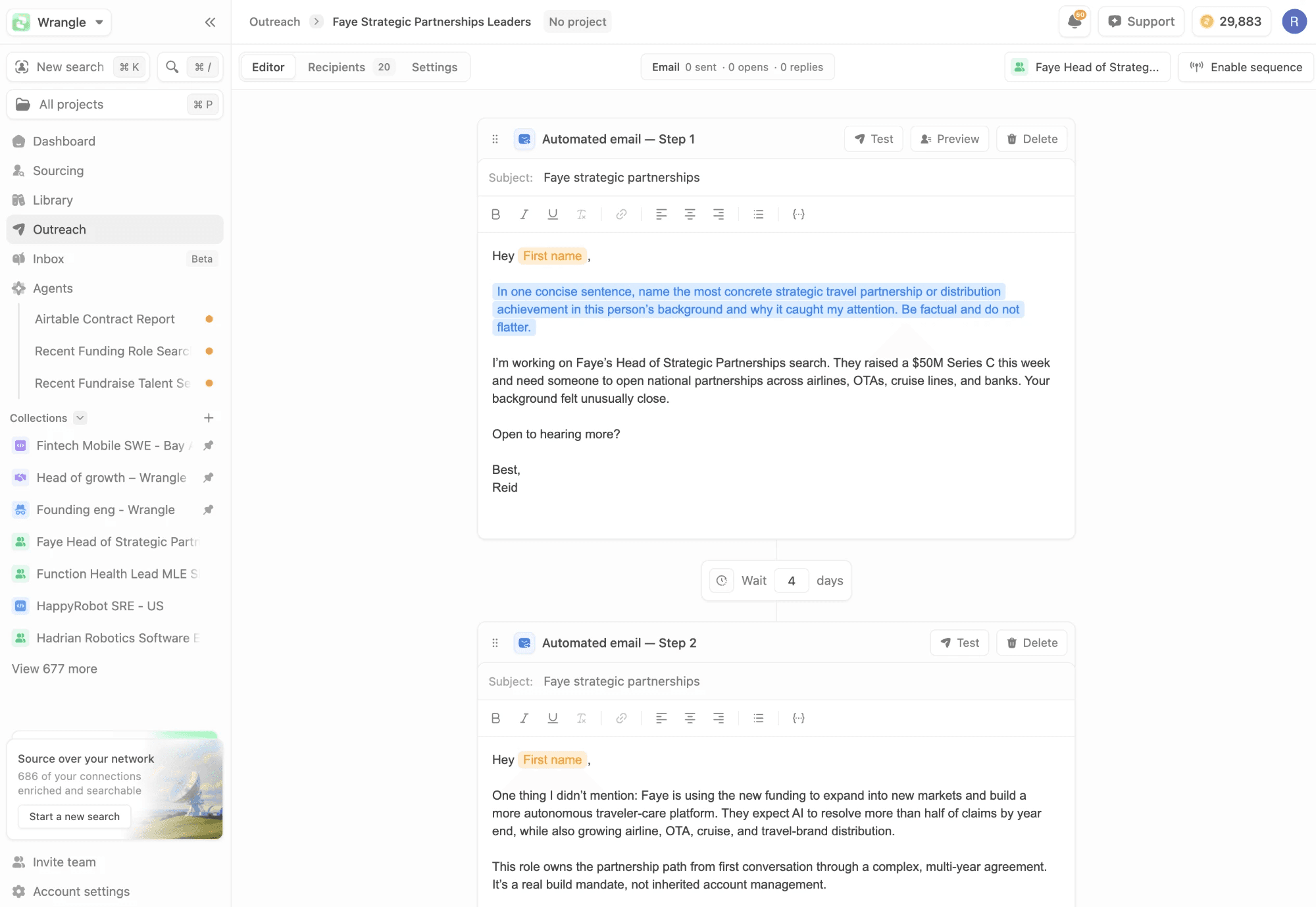
Draft a sequence from the role and each person's background. Review the messages, choose your connected mailbox, and set the timing before you launch.
Start with a saved shortlist and finish in the inbox. The candidate's contact details, sequence status, and reply stay connected throughout.
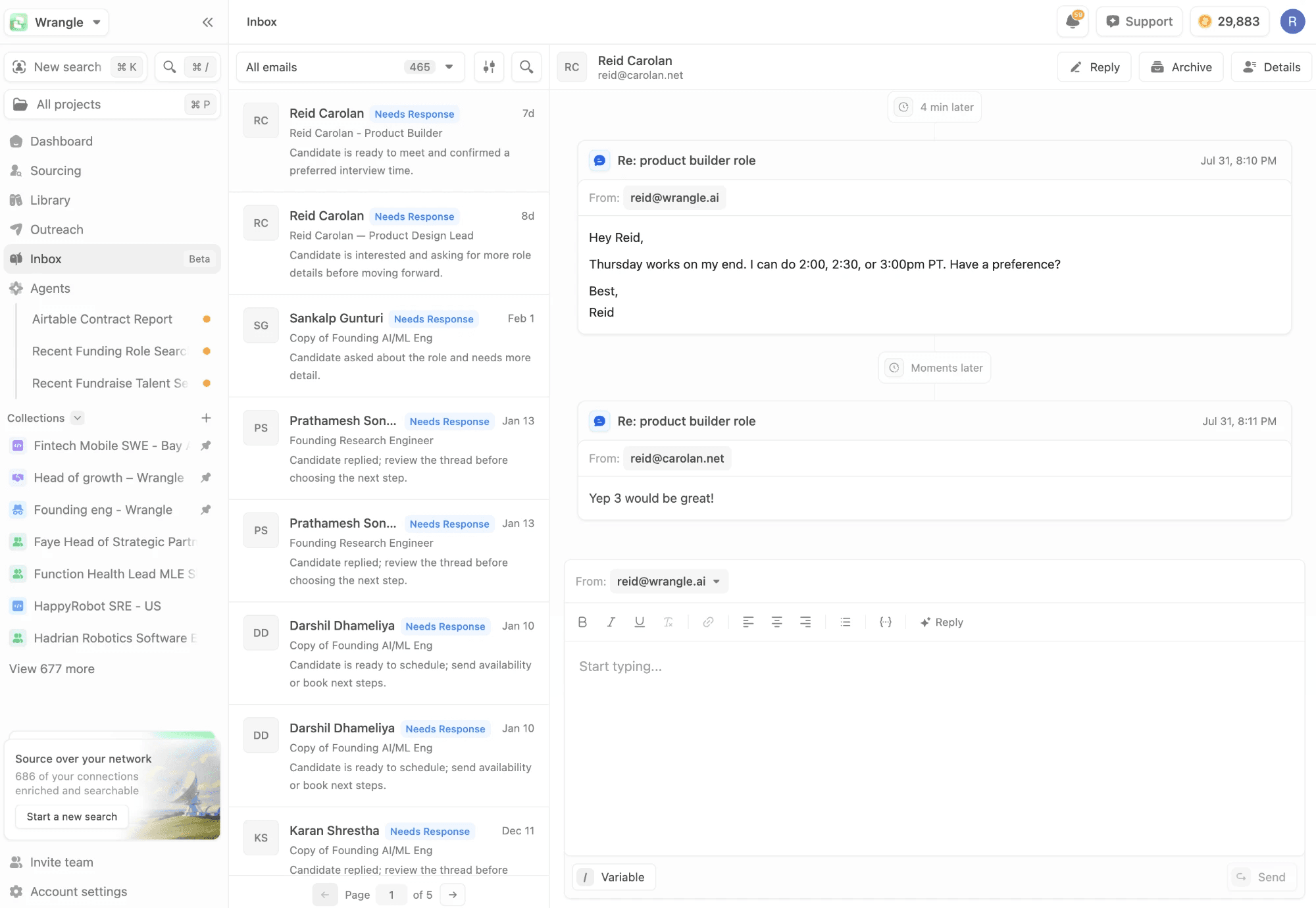
Contact lookup, sending, and reply tracking stay in the same recruiting workflow.
Run work email lookup in the background. See which candidates have an address and which are still missing one.
Use your connected Google or Outlook mailbox, with replies returning to that account.
A detected candidate reply stops the remaining sequence steps for that person.
Check sends, replies, and bounces by recipient and see how each sequence step performs.
If you are recruiting, Wrangle brings the steps around email lookup into the same workspace: candidate search, saved shortlists, contact enrichment, personalized sequences, and reply tracking. You can also start with candidates you already have by importing a list.
Practical guides on sourcing, recruiting workflows, and the technology behind modern talent teams.
Start with a real role on a 7-day Starter trial, or book a demo. A payment method is required; your subscription starts billing after the trial unless you cancel.
Create an account with your work email and choose Starter to see your trial eligibility and terms.
Sign up